01
Describe the Asset
Write the subject you need, such as a character, enemy, item, icon, tile, or UI element, and include any stylistic cues that matter.
Move from a rough concept to a usable pixel asset in three focused steps.
Write the subject you need, such as a character, enemy, item, icon, tile, or UI element, and include any stylistic cues that matter.
Choose the pixel art style, pick a sprite size, optionally remove the background, and upload a reference image when consistency matters.
Review the output, save the strongest results to your library, and reuse them across game scenes, product UI, store assets, or concept packs.
Representative style samples generated from the same base subject so differences in treatment, readability, and shape language are easy to compare.
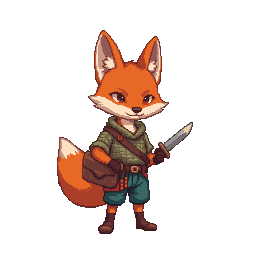
"tiny fox adventurer, centered full-body sprite, balanced anime-influenced treatment with a versatile game-ready baseline"
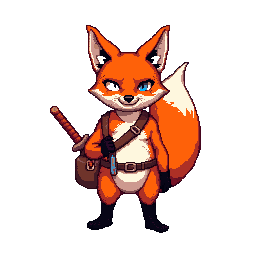
"tiny fox adventurer, centered full-body sprite, retro arcade palette with stronger 90s game nostalgia and punchier contrast"
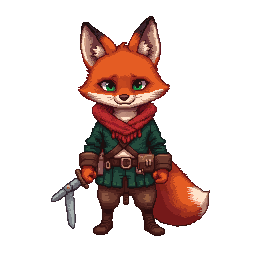
"tiny fox adventurer, centered full-body sprite, richer costume detail, layered shading, and a more polished hero-asset finish"
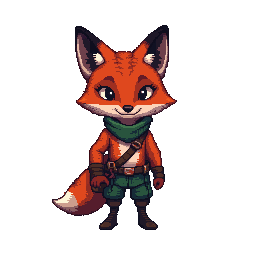
"tiny fox adventurer, centered full-body sprite, cleaner silhouette and more readable production-facing gameplay asset treatment"
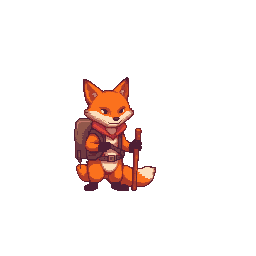
"fox adventurer icon, centered composition, simplified readable silhouette built for HUD, menu, and interface contexts"
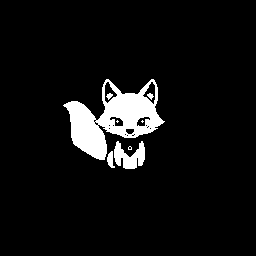
"tiny fox adventurer, centered full-body sprite, black-and-white 1-bit treatment for sharp contrast and graphic retro readability"
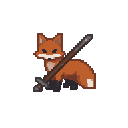
"fox adventurer themed item icon, centered composition, Minecraft-like compact silhouette with block-game inventory readability"
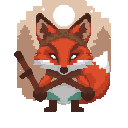
"fox adventurer themed texture tile, centered composition, chunkier block-surface treatment for texture and tile-style evaluation"
The workflow is useful anywhere you need crisp retro-style assets without hand-drawing every first-pass sprite.
Generate first-pass characters, NPCs, enemies, and companions for prototypes, vertical slices, or production support.
Create pickups, weapons, potions, equipment, and crafting assets that need to read clearly at small sizes.
Use pixel icons, badges, empty states, and decorative retro illustrations in product surfaces and microsites.
Generate pixel-art illustrations for store capsules, promo cards, launch visuals, and social media content.
Try multiple pixel treatments quickly before committing to a final visual direction for a world, item set, or interface.
Produce scene props, decorative objects, and rough environment pieces to accelerate level and world-building ideation.
Generated pixel art should fit downstream tools instead of creating extra cleanup work.
Get a clean standalone sprite for immediate use in engines, product interfaces, mockups, and documentation.
Use references and prompt iteration to build matching asset groups rather than isolated one-off images.
Save generated results into your pixel-art library so teams can revisit, favorite, and organize stronger outputs.
Feedback from developers, designers, and artists using the pixel-art workflow for real asset production.
“We used it for props and NPCs first, then kept expanding the set. It sped up our prototype art pipeline immediately.”
“It is useful for getting clean first-pass ideas that already respect the constraints of sprite-sized artwork.”
“The icon and UI-oriented outputs were the surprise win for us. They slotted into a retro campaign page with very little cleanup.”
“I could generate enemies, pickups, and environment props in one sitting instead of stalling on placeholder art.”
“Reference images made the difference. We were able to keep a tighter style range across multiple assets.”
“It is one of the faster ways I have found to test retro visual directions without opening a full manual sprite workflow first.”
Answers to the most common questions about generating standalone pixel-art assets.
Start with a prompt, generate your first asset, and build a reusable pixel-art library for production.